
Ultra Cleaning Services Brand Guidelines
The original Ultra Cleaning visual system: Plus Jakarta Sans, the dark and green palette, original logo, vector icons, animated service imagery, mobile layouts, marketing, and account experience.
01 / Foundation
The Ultra Cleaning brand
A local cleaning company with a practical promise: clear communication, thoughtful work, and a cleaning plan built around the customer.
Trusted.
Thorough.
Local.
Make the next step feel simple, from the first quote request to the finished visit.
Built on a real story
Ultra Cleaning Services LLC presents its company history as beginning in 2020, with local family ownership and veteran roots. Preserve the owners' story and original identity; do not turn it into an unsupported certification, government affiliation, or service guarantee.
Source: Ultra Cleaning Services - About Us.
Brand character
Capable, approachable, organized, and grounded. Show the people, the work, and the next step. Let specific service information carry the message.
Positioning statement
For households and businesses in the Fargo-Moorhead area that want dependable cleaning support, Ultra Cleaning Services provides practical service options with a clear scope and a direct local point of contact.
Core promise
Help the customer understand what can be cleaned, what information is needed, and how to request a quote. Any schedule, inclusion, or specialized task must match the actual service agreement.
02 / Audience
Speak to the job the customer needs done
Lead with the situation, then explain the relevant service and the information needed for a useful quote.
| Audience | What matters | Useful message |
|---|---|---|
| Households | Rooms, priorities, access, and the household routine | House cleaning for the way you live. |
| Office and business teams | A defined scope, timing, shared spaces, and communication | Keep your workplace ready for the day ahead. |
| People moving | An empty-property window and a clear handover checklist | Make the move with a clearer cleaning plan. |
| Property managers and hosts | Turnovers, access, room standards, and reporting | A thoughtful clean between stays or tenancies. |
| Builders and owners | Finish care, trade sequencing, and final details | Finish the project with a considered clean. |
Local relevance
Use Fargo, Moorhead, West Fargo, and Horace where they help a customer understand coverage. Confirm the address and service availability. Local pages should contain useful, distinct guidance; avoid repeating the same page with a different city name.
Respect the customer
Describe a cleaning need without judging how a person lives. Focus on the task, the surface, and the requested outcome. Avoid shame, exaggerated fear, or assumptions about income, family structure, or property condition.
03 / Service architecture
Make the core services easy to find
Keep the main navigation and homepage focused on the four services most central to the rebuilt website.
| Priority | Service | Primary customer task |
|---|---|---|
| 01 | Residential cleaning | Choose home cleaning around rooms and priorities. |
| 02 | Commercial cleaning | Define the workplace scope and service needs. |
| 03 | Move-in and move-out cleaning | Prepare a property for its next chapter. |
| 04 | Post-construction cleaning | Coordinate cleaning with the final project stage. |
Retain the full offering
Airbnb cleaning, dry shampoo cleaning, car detailing, boat detailing, baby car-seat detailing, power washing, cabin cleaning, and garbage-container cleaning remain discoverable under services. Give each a useful page and a relevant quote option.
Organize by customer need
Use Homes, Businesses, and Specialty as browsing groups. A service may be relevant to more than one audience; use related links to help the customer continue. Keep existing service URLs so past links and bookmarks lead to the intended page.
Make the scope explicit
Describe sample areas as work to confirm in the quote. Do not imply that specialty tasks, laundry, restocking, hauling, or after-hours service are automatically included.
04 / Voice and messaging
Sound capable, warm, and specific
Write as a helpful local team member. Use familiar words, concrete details, and one clear next step.
| Use | Example |
|---|---|
| Plain service language | Tell us about your property and the areas you want cleaned. |
| A useful next step | Request a Quote |
| Specific information | Share the room count, preferred timing, and a few condition photos. |
| Respectful reassurance | We will review the scope and availability with you. |
| An honest limit | The quote confirms the work included for your property. |
Homepage message
Cleaning for the spaces that matter.
Practical cleaning options for homes, workplaces, and property handovers in the Fargo-Moorhead area.
Quote confirmation
We have received your request.
We will follow up using your preferred contact details to discuss the property and the work you need.
Claims and tone
Avoid absolute results such as germ-free, chemical-free, every stain removed, guaranteed deposits, instant availability, or a promised review rating. Publish a credential or guarantee only when the owner confirms the evidence and exact terms. Keep family and veteran history factual and modest.
05 / Logo
Protect the original mark
The supplied logo is the brand signature. Its lettering, illustration, proportions, and native colors stay intact.

Master asset
Use the original circular SVG for scalable digital and production work. Use the original transparent PNG when the application cannot accept SVG. Keep its lettering, illustration, proportions, and native colors intact.
Clear space
For standalone materials, let x equal the artwork height and leave at least 0.25x of clear space around the mark. In the website header, preserve a clear, balanced navigation area around the original logo.
Header signature
The original website uses the circular mark on a dark header, about 90 px on desktop and 80 px on mobile. Keep the logo alone as the header signature and give its home link an accessible company name. Test the fine detail at the actual rendered size.
Background and reproduction
The original mark works on a quiet dark header or a plain light panel. Avoid busy photography behind the logo. Do not stretch, trace, recolor, separate, rotate, or invent a simplified version. Native red and gray stay inside the artwork. Obtain an approved production version for embroidery or very small printing, and review an actual-size proof.
06 / Color
The original palette, used consistently
Preserve the dark header, clean light sections, and distinctive green accents of the original Ultra website.
RGB 94, 202, 32
CMYK approx. 53, 0, 84, 21
RGB 9, 6, 17
CMYK approx. 47, 65, 0, 93
RGB 246, 246, 246
CMYK approx. 0, 0, 0, 4
RGB 30, 30, 30
CMYK approx. 0, 0, 0, 88
RGB 87, 87, 87
CMYK approx. 0, 0, 0, 66
RGB 61, 131, 21
CMYK approx. 53, 0, 84, 49
| Color | Primary role |
|---|---|
| Ultra Green | Accent fills and primary action backgrounds |
| Midnight | Header, footer, dark sections, and labels on bright green |
| Light | Light page sections and supporting surfaces |
| Ink | Headings and primary reading text |
| Muted | Secondary text on white and light surfaces |
| Accent Green | Links on white and decorative emphasis |
Original website palette
Use white and #F6F6F6 surfaces, #090611 dark bands, #1E1E1E headings, and #575757 body copy. Ultra Green carries primary actions. Accent Green is the original darker accent. Supporting borders use #E1E1E1. The hero places an 80% black overlay above the original team-and-vehicle photograph.
Digital reference, print proof
Hex and RGB values are the digital reference. CMYK numbers are approximate mathematical conversions, not an ICC-profiled print specification. Convert for the actual stock and press, then approve a physical proof. Preserve the native colors of the original logo.
Design reference: Ultra Cleaning Services original website.
07 / Contrast
Use color combinations that remain readable
The ratios below are calculated from the supplied opaque sRGB values. Test the actual rendered interface and all interaction states.
| Foreground / background | Ratio | Usage | Result |
|---|---|---|---|
| Ink on Light | 15.43:1 | Body copy and headings | AA normal text |
| Midnight on White | 20.08:1 | Headings and primary text | AA normal text |
| Muted on Light | 6.69:1 | Secondary reading text | AA normal text |
| Muted on White | 7.23:1 | Supporting copy | AA normal text |
| Accent Green on White | 4.71:1 | Links and labels | AA normal text |
| Accent Green on Light | 4.36:1 | Large text or non-text only | Fails normal text |
| Midnight on Ultra Green | 9.51:1 | Primary action label | AA normal text |
| White on Midnight | 20.08:1 | Dark-section copy | AA normal text |
| White on Ultra Green | 2.11:1 | Do not use for text | Fails text thresholds |
| Ultra Green on Light | 1.95:1 | Decorative accent only | Fails text thresholds |
Working rule
Use at least 4.5:1 for normal text and 3:1 for large text. Large text is at least 18 pt regular or 14 pt bold. Relevant non-text controls and states need 3:1 against adjacent colors. Use dark labels on bright-green buttons.
Accent Green on #F6F6F6 is below the normal-text threshold. Use Ink or Muted for small links and labels on that light background, with a persistent underline for links. Accent Green on white passes. A bright-green control on white needs a sufficiently contrasting boundary where its shape is required to identify it.
Ratios are shown to two decimals for reference; pass decisions use the unrounded values. Reference: W3C text contrast and W3C non-text contrast.
08 / Typography
Plus Jakarta Sans carries the original character
Use the original website typeface throughout the public site and account experience, with clear hierarchy and comfortable reading copy.
| Role | Desktop starting point | Mobile starting point | Weight / line height |
|---|---|---|---|
| Hero heading | Up to 60 px | 32-48 px | 700 / 1.0-1.1 |
| Section heading | 36-44 px | 28-34 px | 700 / 1.1-1.25 |
| Card heading | 22-26 px | 20-24 px | 600-700 / 1.2-1.35 |
| Lead copy | 18 px | 16-18 px | 400 / 1.4-1.7 |
| Body copy | 16-18 px | 16-18 px | 400 / 1.6-1.8 |
| Forms and buttons | 14-16 px | 16 px input text | 600-700 / 1.35-1.5 |
| Supporting labels | 12-14 px | 12-14 px | 400-600 / 1.5-1.7 |
Clear space.
Clear message.
Keep reading copy in comfortable lines, usually around 45-75 characters. Use sentence case and a short hierarchy that lets people scan before they read closely.
Match the original typeface
Plus Jakarta Sans is the original website family. Use it for headings, paragraphs, buttons, forms, and account screens. Keep the lettering inside the original logo unchanged. The supplied font files support weights 200-800; use regular 400 for reading text and 600-700 for most interface emphasis.
Production rules
Bundle the WOFF2 font locally, use font-display: swap, and provide Arial or a system sans-serif fallback. Load only the styles needed. Use the real italic file when italic text is required. Avoid synthetic extra-heavy weights, novelty fonts, tightly tracked paragraphs, or long uppercase passages. These are working web sizes; test line breaks and readability with real content.
Font license: Plus Jakarta Sans SIL Open Font License.
09 / Layout and spacing
Use a consistent rhythm across sizes
Let content determine the layout. Preserve reading order as columns stack and give forms room to remain usable.
| Element | Working rule |
|---|---|
| Page container | About 1,200-1,240 px; shared left and right alignment |
| Desktop spacing | 60-80 px section space; balanced 24-48 px column gaps |
| Small screens | 18-24 px gutters; about 40-60 px section space |
| Hero | Original image with dark overlay; text left and quote card right; stack on tablet and phone |
| Service cards | 12 px corners; 18 px top and side padding, 24 px below; 8 px image corners |
| Carousel | Three visible cards on desktop, two on tablet, one on mobile |
| Buttons | 999 px pill radius; readable labels and generous touch area |
| Forms and panels | 12 px panels; 6-8 px fields; 16 px closing CTA corners |
Recognizable page structure
Keep the dark utility bar and navigation, the photographic hero with white quote card, the service carousel, client marks, company story, gallery and service list, customer reviews, light service-area section, and rounded dark closing CTA. Additional local guides and SEO content should extend this structure naturally.
Responsive behavior
Stack image-and-text sections in a useful reading order. Keep service cards at three, two, then one visible as space narrows. Preserve clear labels on carousel controls and leave room for touch targets. A sticky action bar must not hide content or focused controls.
Surface treatment
Use white cards, #E1E1E1 borders, and restrained shadows. Primary and secondary action buttons are full pills. Cards usually use 12 px corners, with image corners at 8-10 px. Preserve the circular business logo rather than adding competing decorative shapes.
10 / Icons and motion
Sharp vector icons and considered motion
Preserve the original moving service imagery and use a consistent SVG family for every interface control.
Original SVG family
Use the bundled vector icons on a 24 x 24 grid, with 1.75-unit rounded strokes and currentColor. Keep them sharp at every size.
Label the action
Use a recognizable symbol beside useful text. Decorative SVG should be hidden from assistive technology; icon-only controls need an accessible name.
Protect the mark
Use the complete business logo separately. Avoid emoji, clip art, icon fonts, or extracted logo details as interface controls.
Restore the original image motion
The original commercial, residential, post-construction, and move-cleaning service images are animated WebPs, as is the closing CTA cleaner image. Preserve those original files and their frame timing. A static image conversion selects one frame and removes the motion.
Motion with control
Use static posters for reduced-motion preferences and when motion is paused. Defer animation downloads until the relevant section is near view. For service cards, retain the original three/two/one-card progression and approximately five-second advance interval. Provide clear previous, next, and pause controls; pause on hover or keyboard focus and stop offscreen playback when practical.
Gallery and transitions
The original work gallery uses a gentle fade. Keep gallery controls understandable and its photographs accurately described. Button motion should be brief and subtle, with no movement required to understand or activate the action. Honor reduced motion for slides, fades, counters, and animated image content.
11 / Photography
Show real people and real work honestly
Use original company photography to establish identity. Use service images only when their context is accurate and their use is authorized.
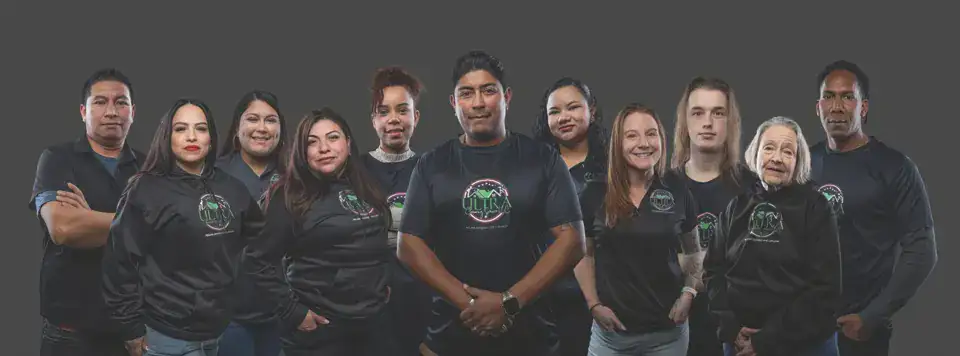
Original website team image. Confirm current use and permissions before a new campaign.
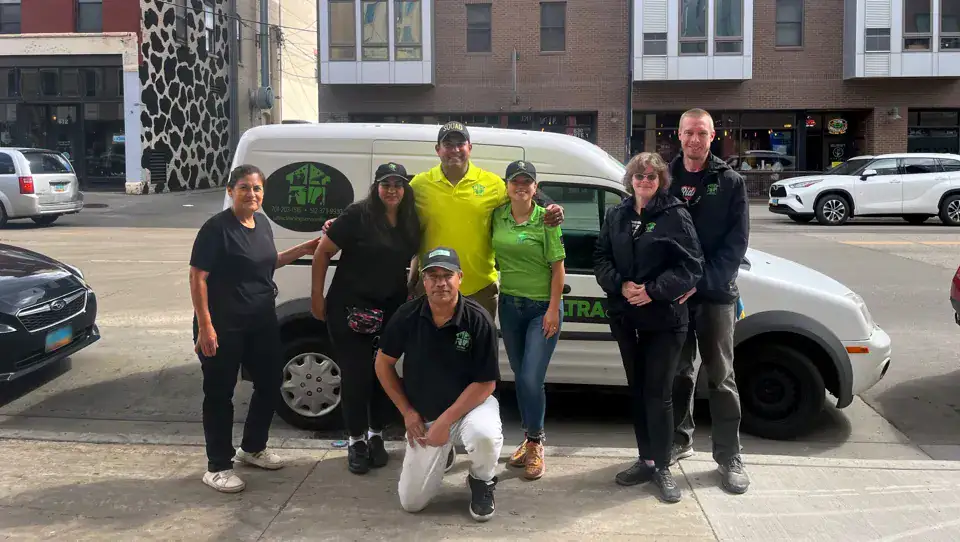
Original website location image. Avoid treating visible historic contact details as the current contact source.
Capture direction
Favor natural light, accurate color, tidy framing, and useful detail. Photograph a wide view, an action detail, and a finished surface where permission allows. Protect customer documents, access codes, addresses, and personal belongings. Keep faces and service-relevant details clear in the intended crop.
Editing and disclosure
Crop and adjust exposure conservatively. Do not manufacture a before-and-after pair, erase damage to imply a cleaning result, invent customers, or present generated people or rooms as completed Ultra jobs. Label stock, illustrative, or generated campaign imagery where it could otherwise be mistaken for real work.
Text over photography
Prefer a separate light or Midnight text panel. For the hero, retain the original team-and-vehicle image with an 80% black overlay. Test the text contrast and crop at every intended size. A busy photograph is not a logo background.
12 / Calls to action and forms
Make the next step clear
Use one primary action per decision area. Ask only for information that helps the team assess the cleaning request.
Tell us what needs cleaning.
Share the service, property location, preferred timing, and a few details. The team will review the scope and availability with you.
Request a QuoteButton system
Primary: bright-green fill, a dark label, a contrasting boundary where needed, and a 999 px pill radius. Secondary: an outlined pill or a clear text link. Use labels such as Request a Quote, Explore Services, Call the Team, or View Request. Keep the label tied to the real result of the action.
Form tone
Use visible labels, concise help, and clear required-field indicators. Use a short, clearly labeled sequence for service, property location, and contact details. Show progress and preserve answers when moving between steps. Ask for a useful description when it helps assessment. Make photos optional unless essential to a particular assessment. Explain what happens after submission without promising an unverified response time.
Useful messages
- Validation: Enter a phone number we can use to contact you.
- Submitting: Sending your request...
- Confirmed receipt: We have received your request. We will follow up using your preferred contact details.
- Problem: Your request was not sent. Please try again or call the team.
Show a success state only after the service confirms receipt. Preserve the customer's entered details when a recoverable error occurs.
13 / Account interface
Keep the account experience calm and clear
The account area uses the same type, colors, and spacing as the public site, with stronger emphasis on labels, state, and task completion.
| State | Recommended message or behavior |
|---|---|
| Empty | No requests yet. Start a cleaning request when you are ready. |
| Loading | Loading your requests... Use a real pending state, not invented progress. |
| Saving | Saving your changes... Prevent duplicate submissions. |
| Saved | Your changes have been saved. Show only after confirmation. |
| Error | Your changes were not saved. Review the message and try again. |
| Offline | You are offline. Your changes have not been sent. |
| Authentication | Explain the requested sign-in step and keep recovery options visible. |
Information layout
Use consistent page titles, readable tables, clear status labels, and a visible action for the next task. On small screens, adapt tables or provide usable horizontal scrolling with labels intact. Keep account data private and avoid unnecessary personal details in notifications or previews.
State design
Use words and icons together with color. Make focus visible, keep errors beside the relevant fields, and provide a summary when several items need attention. A disabled button must not be the only explanation of why an action cannot continue.
15 / Co-branding and applications
Keep Ultra first in customer-facing work
Ultra Cleaning Services is the primary identity. Production credits and partner names remain secondary and factual.
Ultra Cleaning Services LLC
Website support by Wall Media Group LLC
WMG footer credit
Use a quiet live-text credit in the site footer, such as Website support by Wall Media Group LLC, linked to the verified company website where appropriate. Keep it outside the Ultra logo's clear space. Do not combine the names into a new lockup or imply joint ownership.
Partner materials
Use a separate partner area when a collaboration is approved. Preserve each mark's proportions and clear space. Size for readable visual balance, and describe the relationship accurately instead of using an ambiguous row of logos.
Print and signage
Use the original vector mark where the supplier supports it. Keep contact information as editable type and confirm it against the current approved source. For embroidery or very small reproduction, obtain an approved production version rather than simplifying the original artwork yourself. Approve a sample or proof at the actual output size.
Use the company name, individual role if relevant, current contact details, and a small intact logo where readable. Keep essential information as live text so the signature remains useful when images are blocked.
16 / Accessibility
Design for people who use the site differently
Apply these guidelines to real pages and states. A palette, mockup, or checklist alone does not establish complete accessibility conformance.
Read and understand
- Use the approved text/background pairs and test text over images.
- Keep headings in a logical hierarchy and link text meaningful.
- Use live text for essential information and useful image descriptions.
- Keep content usable when text is enlarged or the viewport narrows.
Operate and recover
- Support keyboard use with a visible focus indicator.
- Ensure sticky elements do not hide focused content.
- Provide visible labels and actionable error messages.
- Announce important status updates appropriately and preserve recoverable input.
Targets and touch
Use 44 x 44 CSS px or larger as the team's preferred touch-target starting point. WCAG 2.2's AA minimum is 24 x 24 CSS px, with specified exceptions; do not confuse that minimum with this larger design recommendation. Review close spacing and the full clickable area.
Reference: W3C Target Size (Minimum).
Release checks
Review keyboard navigation, focus, zoom, screen-reader labels, errors, loading states, reduced motion, and responsive content. Record issues and fixes. Describe compliance only to the level that has actually been tested and documented.
17 / Governance
Keep the brand accurate as it grows
Treat the website, marketing materials, and account screens as one maintained system with a clear source of approved information.
Who approves what
The business owner confirms services, coverage, credentials, guarantees, pricing, customer permissions, and public contact details. The design and website maintainer applies the visual system, checks links and layouts, and prepares files for review. Keep a record of substantive changes.
Before publishing
- The original logo is intact and has clear space.
- Headlines and CTAs describe the actual service and action.
- Colors, type, spacing, contrast, and responsive layouts follow the guide; carousel controls and reduced-motion behavior are reviewed.
- Images are authorized and their context is truthful.
- Contact details, service routes, and downloads work.
- Forms and account states reflect real system responses.
- New claims have evidence and approval.
- Dates and file metadata represent the correct creation instant.
Source assets
Use the original logo master, the locally bundled Plus Jakarta Sans font files and SIL license, original photography with its permission record, original animated WebPs with static posters, editable SVG icons, and editable page content. Keep prior versions when approved information changes. Generated layouts or illustrations must remain identifiable as such when they could be mistaken for real work.
Download and reference
Download the complete brand guidelines PDF. The PDF is US Letter landscape, 11 x 8.5 inches. Its creation timestamp is recorded in America/Phoenix time (MST, UTC-07:00); this is the generation time, not the time someone downloads it.
Standards references: text contrast, non-text contrast, and target size.
14 / Social production
Build a small family of social layouts
Create reusable portrait, square, and story canvases with a recognizable logo area, one message, and one next step.
Composition
Use a quiet light or dark field for the original mark, a short Plus Jakarta Sans headline, one relevant image or simple graphic, and a clear CTA. Keep supporting text brief enough to read on a phone. Put the key message and logo inside the safe area; allow background imagery to extend to the edge.
Safe-area limits
These are internal production guides, not platform-guaranteed exclusion zones. Overlays, crops, captions, and placement behavior vary. Preview the actual placement before release and move critical elements when the interface covers them.
Repeatable content types
Rotate service explanations, practical checklists, owner or team introductions, and permission-based work examples. State the city only when the message is relevant there. Avoid turning every post into the same generic promotion with a new location label.